Choose location instead of accepting a guess
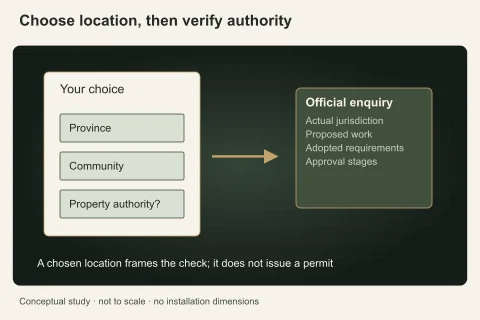
Use your own selected province and community to frame planning. A device location can reflect travel, a workplace or an imprecise network endpoint rather than the property needing work. The location tool asks for your choice; it does not request device geolocation or create a nearby-contractor ranking.
A manually chosen community is context, not proof of the governing authority. Check property records where the municipal boundary is uncertain. Early planning can often proceed without an exact street address, while attendance or an official application may later require more precise information through the appropriate channel.
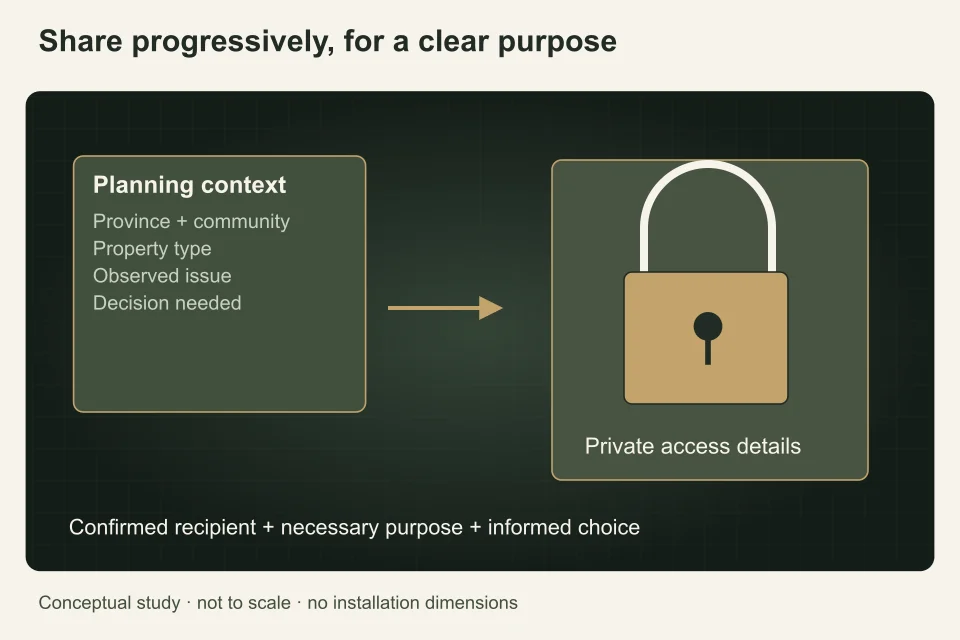
Separate planning detail from access detail
Describe the property type, affected system and safe access limitations without posting door codes, alarm information or tenant identity documents. A broad request rarely needs keys, private schedules or photographs of mail. Share attendance instructions later with the confirmed responsible person using the agreed communication method.
In a condominium, use management roles rather than circulating neighbours’ personal details. In a rental, identify your role and authorization without uploading an entire lease for a technical symptom enquiry. Relevant information should help the decision; unrelated private material creates exposure without improving the plumbing brief.
Make photographs and records selective
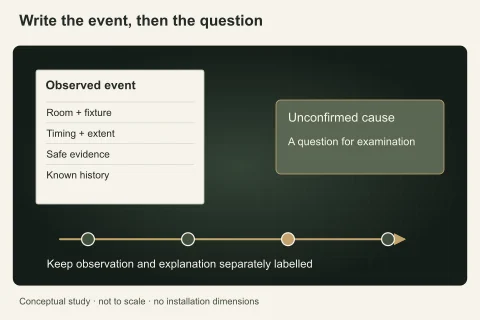
Before sending an image, check the frame for people, documents, screens and security information. Capture the safely accessible symptom with enough context to understand location, not a full inventory of the home. Do not open equipment or enter hazardous areas to produce an image. Explain hidden or inaccessible conditions in words.
When comparing quotes or sharing a past invoice, retain the relevant system and work information while removing unrelated account or resident details. Original camera files may help a technical assessment, but the recipient and purpose should be clear before a broad distribution.
Understand the request’s purpose
This site’s request is for human review and a reply about planning, not an automatic booking, public listing or emergency dispatch. Read the form’s consent and privacy information before submitting. The Office of the Privacy Commissioner provides a useful starting point on understanding personal-information collection and purposes; applicable laws and obligations depend on the organization and jurisdiction.
Do not treat consent to one enquiry as permission for every later use. Ask the receiving organization when purposes or recipients are unclear. The form should support an informed choice rather than require unrelated personal detail simply because a field exists.
Keep your own brief and sharing record
Save the factual request and note the documents shared, recipient and intended purpose. This helps when another professional asks for the same evidence or the project changes. Keep the technical history separate from security instructions so the useful record can be reused without exposing access information.
Use the actual privacy or contact process if you need to ask about information already supplied. This guide does not certify every organization’s practices or promise outcomes on its behalf. It explains a practical approach to minimizing unnecessary detail while still giving the reviewer enough information to understand the planning decision.
Prepare a privacy-conscious request
Build a location-and-scope request around the decision you need. Select the relevant community yourself, describe the system and identify the decision needed. Check images and documents for unrelated private details before attaching or sharing them. Select the province and community yourself, identify the property type and say whether you are the owner, tenant or authorized manager. An approximate location is sufficient for early planning; private access instructions and personal documents belong in a later secure conversation with the person who actually needs them. Distinguish a preferred date from confirmed attendance, and tell the reviewer which facts are still unknown.
PlumbersNearMe.ca is a Canadian reference and human-reviewed request service. It is not a plumbing contractor, ranked directory or emergency dispatcher, and a submitted request does not reserve a provider. A person reviews the information and replies without a promised response time. Keep a copy of the brief and use the published contact or privacy channel for questions about information you supplied. Keep the written agreement, approvals and completion evidence with the property record. Use the request form after any immediate safety need has been addressed; do not wait for this site to respond to an active hazard.
Questions people ask
Does the location tool use my device position?
No. You choose the province and community manually for planning. That selection is not a contractor ranking or an automatic confirmation of permit jurisdiction. Verify the actual property authority where boundaries are uncertain.
Should I include an entry code in the request?
No. Early planning does not need private access credentials. Share necessary attendance instructions later with the confirmed responsible person through an agreed channel. Keep security details separate from a reusable technical brief.
Can I upload a full lease for a leak question?
Usually the technical brief can state your role and authorization without unrelated tenancy documents. Share only relevant excerpts when the purpose and recipient are clear. Use the appropriate secure process for documents genuinely needed later.
What should I check in a photograph?
Look for documents, people, screens and security information in the frame. Show the accessible symptom and useful context without hazardous investigation. Explain limitations in words; a safer selective image is more useful than unnecessary private detail.
Sources and further reading
- Consent and personal information ↗ · Office of the Privacy Commissioner of Canada. Checked 2026-10-02.
- Home renovations ↗ · Office of Consumer Affairs, Government of Canada. Checked 2026-10-02.
- Floods — Get prepared ↗ · Public Safety Canada. Checked 2026-10-02.
Confirm the current requirements with the responsible authority for the actual address and work. This reference does not replace site assessment or an official decision.